
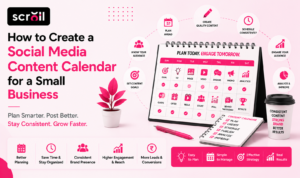
How to Create a Social Media Content Calendar for a Small Business
Running a small business means wearing many hats. Between managing customers, handling operations, and growing sales, posting consistently on social media often becomes an afterthought. That’s exactly why learning how to create a social media content calendar for a small business is one of the smartest investments you can make.
A content calendar helps you organize your posts, maintain consistency, and ensure your marketing supports your business goals instead of becoming a last-minute task. Rather than wondering what to post every day, you’ll already have a clear plan that keeps your audience engaged and your brand active.
This article is part of Media Scroll‘s complete guide on How to Start Digital Marketing for a Small Business in India. If you’re just beginning your digital marketing journey, we recommend reading the pillar guide first to understand how every marketing channel works together.
Whether you’re managing your own social media or working with a marketing agency, a well-planned content calendar can save time, improve content quality, and help you build stronger relationships with your audience.
Why Every Small Business Needs a Content Calendar
Many small business owners post only when they have free time or something to promote. Unfortunately, this inconsistent approach often leads to poor engagement and missed opportunities.
A social media content calendar allows you to plan your marketing in advance so your audience regularly sees valuable and relevant content.
Some of the biggest benefits include:
- Saves time every week.
- Reduces last-minute stress.
- Maintains a consistent posting schedule.
- Improves brand visibility.
- Supports seasonal campaigns and promotions.
- Helps balance educational and promotional content.
- Makes it easier to track performance.
Instead of reacting every day, you’ll be following a strategy designed to support your business goals.
What Is a Social Media Content Calendar?
A social media content calendar is a schedule that outlines what you’ll post, when you’ll publish it, and where it will be shared.
It acts as a roadmap for your social media marketing by helping you organize content across different platforms such as:
- YouTube
- X (Twitter)
- Threads
A good calendar includes much more than just posting dates.
It usually contains:
| Content Element | Purpose |
| Publishing Date | Keeps posting consistent |
| Platform | Identifies where content will be published |
| Post Topic | Organizes ideas in advance |
| Caption | Saves writing time |
| Image or Video | Links creative assets |
| Hashtags | Improves discoverability |
| CTA | Encourages user action |
| Status | Tracks whether content is ready or published |
Even a simple spreadsheet can become an effective social media content calendar template when organized properly.
Step 1: Define Your Marketing Goals
Before creating your calendar, decide what you want your social media marketing to achieve.
Different businesses have different objectives.
Examples include:
- Increasing brand awareness
- Generating leads
- Driving website traffic
- Promoting products
- Building customer trust
- Increasing inquiries
- Growing an online community
Your goals will influence the type of content you publish.
For example:
| Goal | Content Ideas |
| Brand Awareness | Educational posts, tips, industry facts |
| Lead Generation | Free guides, consultations, offers |
| Website Traffic | Blog articles, case studies |
| Sales | Product showcases, testimonials, offers |
| Engagement | Polls, quizzes, questions, behind-the-scenes content |
Clearly defined goals make your content calendar more focused and effective.
Step 2: Understand Your Target Audience
A successful content calendar starts with understanding who you’re creating content for.
Ask yourself:
- Who are my ideal customers?
- What problems do they face?
- Which social media platforms do they use most?
- What questions do they frequently ask?
- What type of content keeps them engaged?
For example, if you’re targeting Indian small business owners, they may be interested in:
- Affordable marketing strategies
- Business growth tips
- Google Business Profile optimization
- Local SEO
- Social media ideas
- Budget-friendly advertising
The better you understand your audience, the easier it becomes to create content they actually want to see.
Step 3: Choose Your Content Pillars
Rather than posting random updates, organize your content into recurring themes called content pillars.
These themes help you maintain variety while supporting your overall marketing strategy.
A typical small business might use pillars such as:
- Educational tips
- Customer success stories
- Product or service highlights
- Industry news
- Behind-the-scenes content
- Frequently asked questions
- Promotional offers
If you’re managing social media with limited resources, our guide on How to Do Social Media Marketing for a Small Business With No Budget offers practical ideas for creating valuable content without spending heavily on advertising.
Step 4: Decide How Often You Will Post
One of the biggest mistakes small businesses make is posting too much one week and disappearing the next. Consistency is far more important than posting every day.
When learning how to create a social media content calendar for a small business, choose a posting frequency that you can realistically maintain.
Here’s a simple weekly schedule for most small businesses:
| Platform | Recommended Frequency |
| 3–5 posts per week | |
| 3–4 posts per week | |
| 2–3 posts per week | |
| YouTube | 1 video per week |
| Google Business Profile | 1–2 updates per week |
If you’re just starting, even three quality posts each week are better than posting daily without a clear strategy.
Step 5: Plan Your Content One Month in Advance
Instead of deciding what to post every morning, dedicate one day each month to planning your content.
Planning ahead allows you to:
- Create better visuals
- Write thoughtful captions
- Align posts with business goals
- Prepare for festivals and seasonal campaigns
- Reduce stress throughout the month
For example, if you run a retail business, you can schedule content around:
- Independence Day
- Diwali
- Christmas
- New Year
- Product launches
- Sales events
- Customer success stories
This proactive approach is one of the biggest advantages of using a social media content calendar template.
Sample Weekly Social Media Content Calendar
| Day | Content Type | Example |
| Monday | Educational Tip | Marketing or business growth tip |
| Tuesday | Behind the Scenes | Office, team, or work process |
| Wednesday | Customer Testimonial | Client success story |
| Thursday | Educational Carousel | Industry insights or FAQs |
| Friday | Product or Service Highlight | Showcase your offering |
| Saturday | Poll or Interactive Post | Ask your audience questions |
| Sunday | Motivational or Brand Story | Company values or inspiration |
Following a simple structure like this keeps your content balanced and engaging.
Step 6: Use the Right Content Mix
Many businesses make every post about selling.
Instead, follow the 80/20 Rule:
- 80% Helpful, educational, or entertaining content
- 20% Promotional content
Your audience is more likely to trust your brand when you consistently provide value before asking them to make a purchase.
A balanced content calendar may include:
Educational Content
- Business tips
- Industry news
- How-to guides
- Frequently asked questions
Engagement Content
- Polls
- Quizzes
- Behind-the-scenes photos
- Team introductions
Promotional Content
- New products
- Special offers
- Case studies
- Customer testimonials
This variety keeps your audience interested while supporting long-term business growth.
Step 7: Choose the Right Tools
Creating a content calendar doesn’t require expensive software.
Many small businesses successfully manage their social media using free or affordable tools.
| Tool | Best For |
| Google Sheets | Content planning |
| Google Calendar | Scheduling ideas |
| Canva | Designing graphics |
| Meta Business Suite | Scheduling Facebook & Instagram posts |
| Trello | Team collaboration |
| Notion | Content planning and documentation |
If your business is growing, you can later invest in more advanced scheduling platforms.
Step 8: Review and Improve Every Month
Creating the calendar is only the beginning.
Every month, review your performance and identify what worked best.
Track metrics such as:
- Reach
- Engagement
- Website clicks
- Leads generated
- Comments
- Shares
- Saves
- Follower growth
Ask yourself:
- Which posts received the highest engagement?
- What topics generated the most inquiries?
- Which platform performed best?
- Which content formats should I create more often?
These insights help you continuously improve your future content calendar.
Common Mistakes to Avoid
Even with a well-designed calendar, some mistakes can reduce your results.
Avoid these common issues:
❌ Posting only promotional content
❌ Ignoring customer questions
❌ Inconsistent posting schedule
❌ Publishing without clear goals
❌ Using poor-quality visuals
❌ Forgetting to include a Call-to-Action (CTA)
❌ Not reviewing analytics
A successful social media content calendar for a small business should remain flexible. Update it regularly based on audience feedback and campaign performance.
Free Social Media Content Calendar Template
If you’re wondering where to begin, here’s a simple structure you can recreate in Google Sheets or Excel.
| Date | Platform | Topic | Content Type | Caption | Image/Video | CTA | Status |
| July 5 | Marketing Tip | Carousel | Ready | Designed | Visit Website | Published | |
| July 7 | Customer Review | Image | Draft | Pending | Contact Us | Scheduled | |
| July 10 | Industry Insight | Article | Ready | Ready | Read More | Draft |
This simple social media content calendar template is enough for most startups and small businesses to stay organized.
If your website is already receiving visitors through search engines, combine your content calendar with an effective SEO strategy. Our guide on Is SEO Worth It for a Small Business in India in 2026? explains how consistent content and SEO work together to improve long-term visibility.
Likewise, startups looking for a broader marketing approach should explore What Is the Best Digital Marketing Strategy for a Startup in India? to understand how content marketing fits into an overall digital strategy.
How Media Scroll Can Help You Stay Consistent on Social Media
Creating a content calendar is only the first step. The real challenge is maintaining consistency while running a business.
At Media Scroll, we help small businesses simplify their digital marketing by creating practical strategies that align with their goals and available resources. Whether you’re planning monthly social media content, improving your SEO, running paid campaigns, or building your brand online, a structured marketing plan makes every effort more effective.
A well-planned content calendar works best when it’s part of a broader digital marketing strategy. If you’re just beginning, our complete guide on How to Start Digital Marketing for a Small Business in India will help you understand how content, SEO, paid advertising, and social media work together to grow your business.
Key Takeaways
- A social media content calendar helps you stay organized and post consistently.
- Plan your content at least one month in advance to save time and reduce stress.
- Focus on educating and engaging your audience instead of constantly promoting your products.
- Use content pillars to maintain variety and support your marketing goals.
- Review your social media performance every month and improve your strategy based on data.
- Even a simple spreadsheet can become an effective social media content calendar template.
- Consistency and quality matter more than posting every day.
Conclusion
Learning how to create a social media content calendar for a small business is one of the easiest ways to make your marketing more organized and effective.
Instead of wondering what to post each day, you’ll have a clear roadmap that keeps your social media active, supports your business goals, and saves valuable time.
Remember that your content calendar isn’t a fixed document—it should evolve as your business grows and your audience’s interests change. Review your results regularly, experiment with new content ideas, and refine your strategy based on what works best.
Whether you’re managing social media on your own or working with a digital marketing agency, a well-planned content calendar will help you build stronger relationships with your audience and achieve more consistent results over time.
Frequently Asked Questions (FAQs)
- What is a social media content calendar?
A social media content calendar is a schedule that organizes what content you will publish, when you will publish it, and on which social media platforms. It helps businesses maintain consistency and improve their overall marketing strategy.
- How far in advance should I plan my social media content?
Most small businesses benefit from planning their content one month in advance. This provides enough time to design creatives, write captions, and schedule posts while staying flexible for trending topics or important announcements.
- Can I create a social media content calendar for free?
Yes. You can easily create a social media content calendar template using free tools like Google Sheets, Microsoft Excel, Google Calendar, or Notion. Many scheduling platforms also offer free plans for small businesses.
- How often should a small business post on social media?
Quality and consistency are more important than posting every day. For most small businesses, publishing three to five posts per week on platforms like Instagram and Facebook is a practical starting point.
- Which tools are best for managing a social media content calendar?
Popular tools include Google Sheets, Canva, Meta Business Suite, Trello, Notion, and Google Calendar. These tools make it easier to plan, organize, and schedule content efficiently.
Stay Connected with Media Scroll
For regular digital marketing tips, small business growth strategies, and real-world case studies, follow Media Scroll on Instagram for practical insights and updates.
Follow us on Instagram: @mediascroll.in
Need expert guidance to grow your business online? Contact Media Scroll for a personalized digital marketing strategy tailored to your business goals.